COST
UX Techniques
User Research, Information Architecture, Prototyping
Background
Contingency Operations Support Tool (COST) is an application used by the Department of War for estimating expenses relating to military operations and develop budgets. COST helps military planners and budget officials decompose the cost breakdown for personnel, equipment, and logistics.
Problem
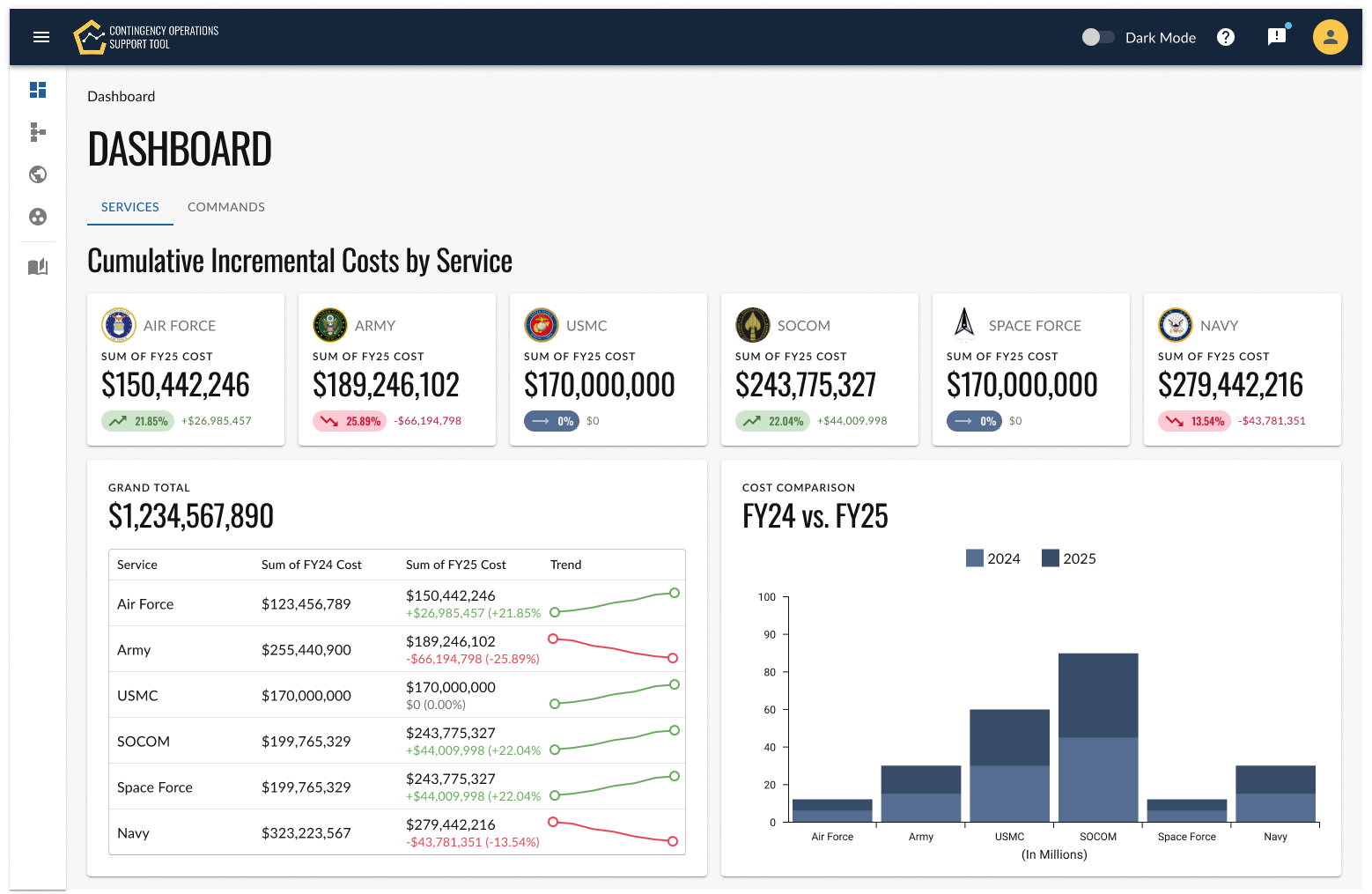
The legacy budget tool was built with function over form, resulting in a dense, utilitarian interface that felt overwhelming. Pages were packed with excessive amounts of information presented all at once, forcing users to scan long tables and cluttered layouts with little visual hierarchy to guide their attention. The lack of visual aesthetics—minimal spacing, inconsistent typography, and limited use of color—made the experience feel dated and difficult to navigate. Compounding these issues, the tool did not follow common design patterns or user interface conventions, so even basic actions required a learning curve, leaving users to rely on memory rather than intuition to complete routine budgeting tasks.
Solution
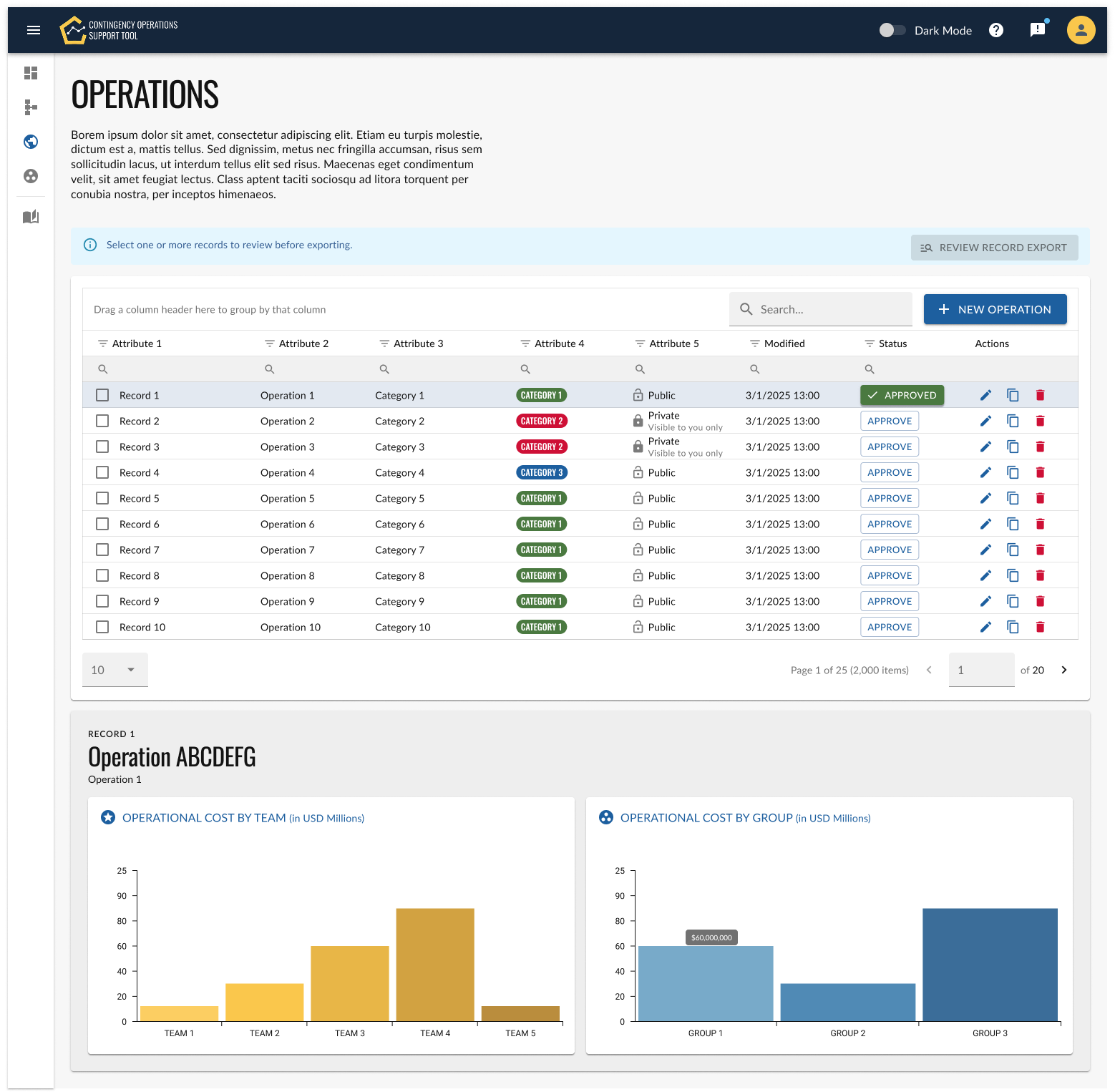
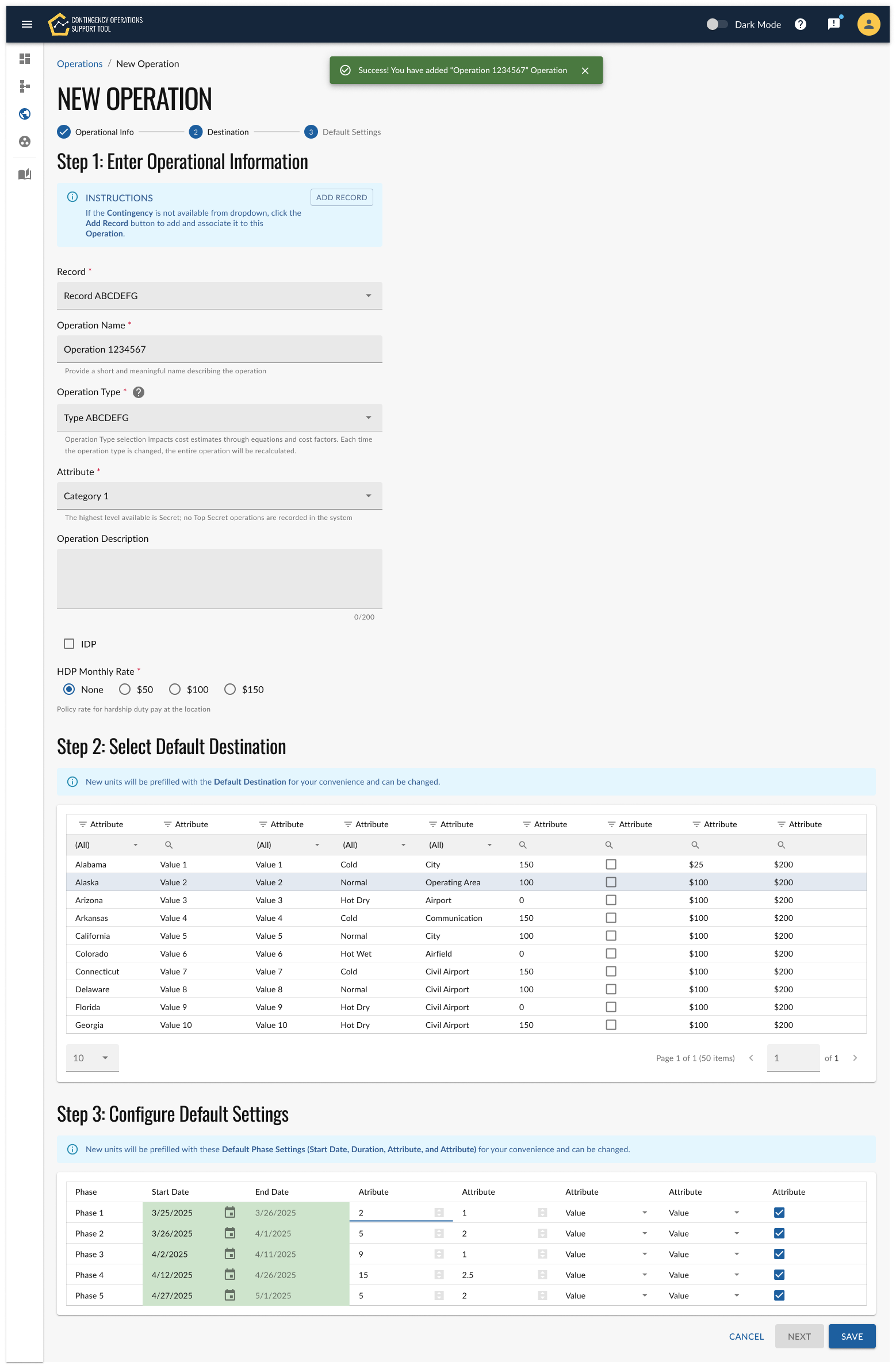
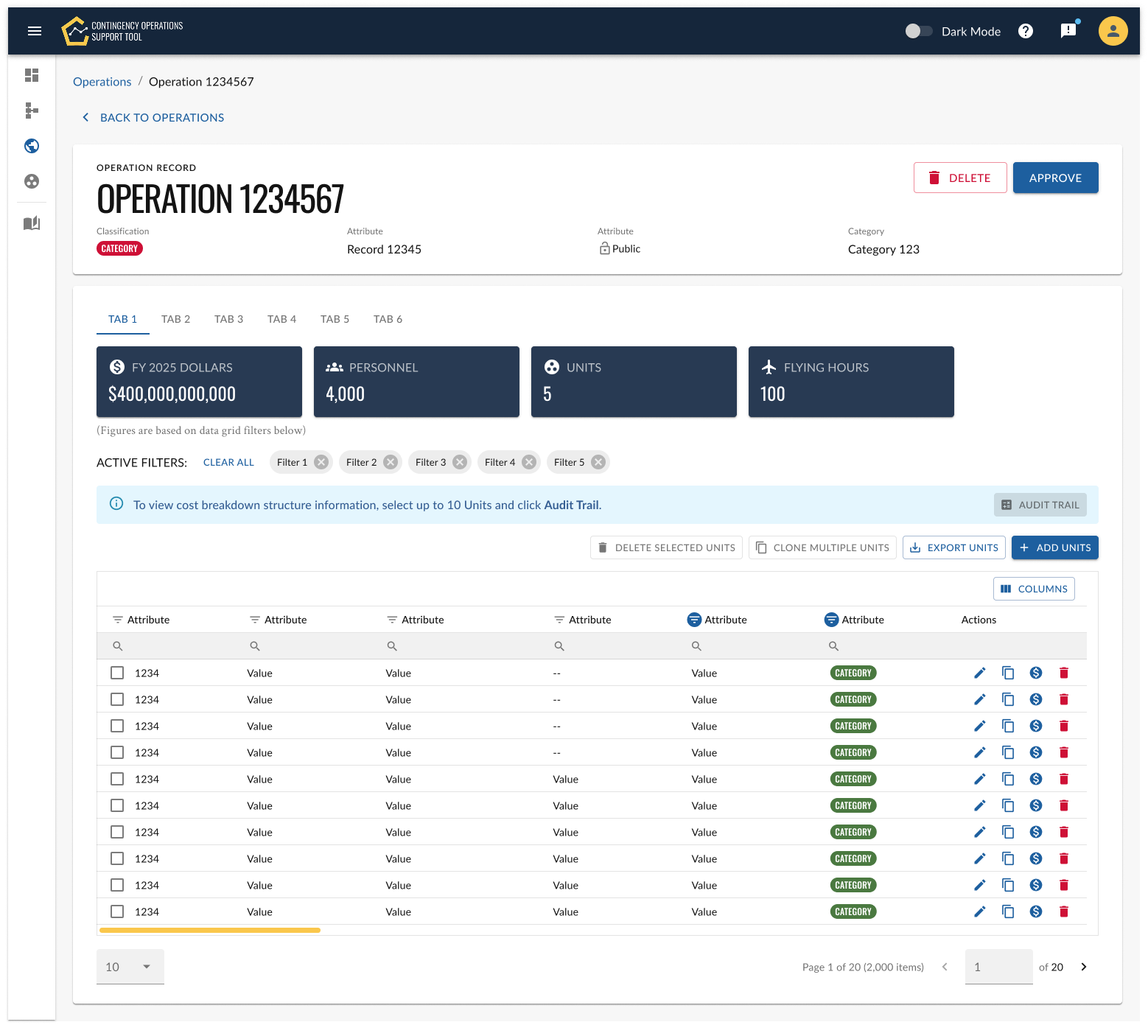
The new solution addressed these issues by prioritizing clarity, usability, and modern design principles from the ground up. Information was streamlined and organized into focused views, reducing cognitive load and allowing users to digest data in manageable chunks. A clean visual aesthetic—using consistent typography, purposeful spacing, and a restrained color palette—helped establish clear hierarchy and made key insights stand out. By aligning with familiar design patterns and intuitive interactions, the tool became easier to learn and navigate, enabling users to complete budgeting tasks more efficiently and with greater confidence.
Outcome
Improved usability and efficiency: Streamlined layouts and intuitive navigation reduced cognitive load and made core budgeting tasks faster and easier to complete.
Clearer data comprehension: Focused views and strong visual hierarchy helped users quickly understand key financial insights without feeling overwhelmed.
Modern, intuitive experience: Consistent aesthetics and common design patterns increased user confidence, learnability, and overall satisfaction.